Introduction
For years, AWS Security Hub operated under a clear, if limiting, assumption: its primary job was to secure AWS resources. If your organization ran workloads on Microsoft Azure or Google Cloud Platform—as almost all enterprise-scale organizations do—you were forced to choose between managing security postures across multiple native dashboards, building fragile custom ingestion pipelines, or paying for expensive third-party Cloud Security Posture Management (CSPM) tools.
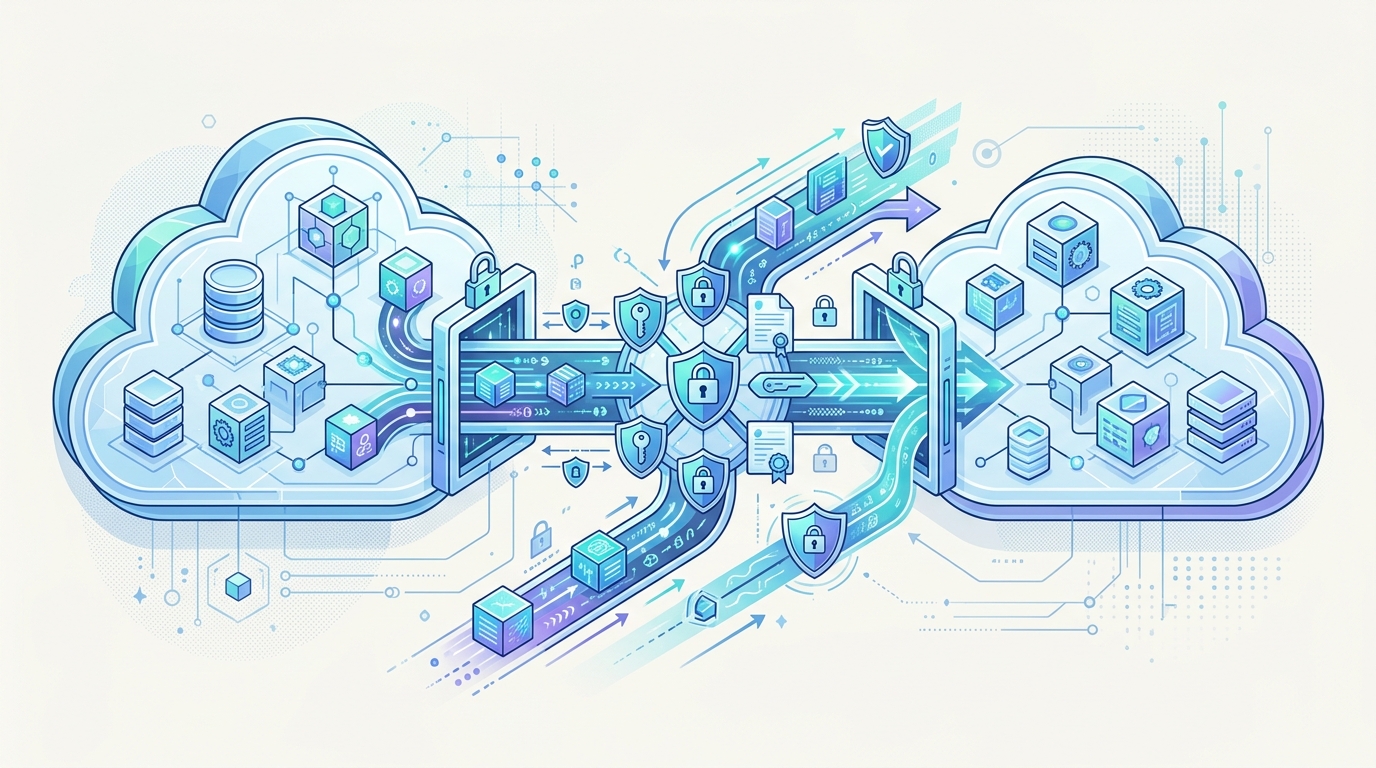
With AWS's native integration of Microsoft Azure into AWS Security Hub and the concurrent launch of GuardDuty AI Protection, that paradigm has shifted. For the first time, AWS is natively extending its security control plane into competitor infrastructure while simultaneously addressing the unique security challenges of generative AI workloads. I find this to be a significant pragmatic turn from AWS, acknowledging that multi-cloud is not a temporary transition state, but the permanent reality of modern enterprise architecture.
In this article, I will analyze the underlying mechanics of these new capabilities, evaluate the technical trade-offs of AWS-centric multi-cloud monitoring, and provide actionable guidance on how to implement and operationalize these features in your environment.
Architectural Shift: Native Azure Integration in Security Hub
To understand the value of native Azure support, we must first look at how multi-cloud security posture management was previously achieved. Historically, if you wanted Azure security recommendations in Security Hub, you had to deploy Lambda functions to poll Azure Security Center (now Microsoft Defender for Cloud) APIs, parse the JSON payloads, map them to the AWS Security Finding Format (ASFF), and push them via the BatchImportFindings API. This pattern introduced latency, maintenance overhead, and failure points in serverless execution limits and API rate limiting.
AWS’s native integration eliminates these custom pipelines by establishing a direct, federated trust relationship between AWS and Azure. The integration relies on OpenID Connect (OIDC) and Azure Active Directory (now Microsoft Entra ID) enterprise applications to authorize AWS Security Hub to read configuration metadata from your Azure subscriptions.
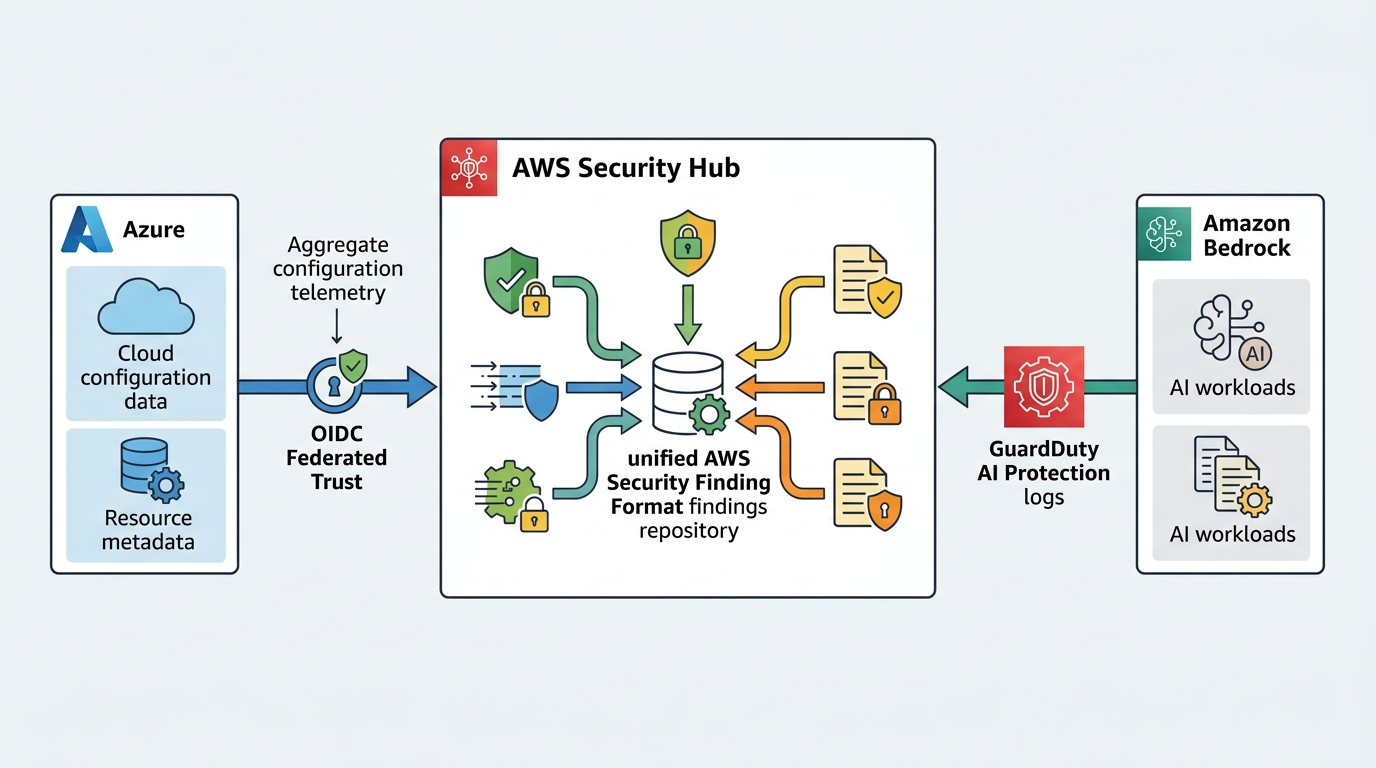
Once configured, Security Hub uses read-only APIs to evaluate your Azure resource configurations against standard security benchmarks, such as the CIS Microsoft Azure Foundations Benchmark. The evaluation engine runs within the AWS control plane, translating Azure resource states directly into native ASFF findings. This means Azure Virtual Machines, SQL Databases, and Entra ID configurations are continuously assessed and aggregated alongside your Amazon EC2 instances, RDS databases, and IAM policies in a single console.
GuardDuty AI Protection: Securing LLMs and Generative AI Pipelines
Alongside multi-cloud posture management, AWS has integrated GuardDuty AI Protection directly into Security Hub. As engineering teams rapidly deploy Large Language Models (LLMs) using Amazon Bedrock, security teams have struggled to gain visibility into the runtime behavior of these applications. Traditional network-level or host-level intrusion detection systems are blind to semantic attacks like prompt injection, data exfiltration via model responses, or anomalous API consumption patterns.
GuardDuty AI Protection addresses this by continuously monitoring Amazon Bedrock API invocation logs and data access patterns in the underlying S3 buckets that store training data or retrieval-augmented generation (RAG) vector embeddings. It establishes a baseline of normal user and application behavior using machine learning models trained on historical API telemetry.
When GuardDuty detects an anomaly—such as a sudden spike in model invocations from an unusual IP address, or a user prompt that attempts to bypass model safety guards—it generates a high-fidelity finding. Because this is natively integrated with Security Hub, these findings are automatically prioritized, correlated with your broader infrastructure posture, and mapped to the ASFF schema for downstream remediation.
Implementation: Configuring Cross-Cloud Trust and Ingestion
To operationalize native Azure monitoring, you must configure a cross-cloud trust relationship. This involves creating an App Registration in Microsoft Entra ID, granting it the necessary Azure Reader roles, and configuring AWS Security Hub to assume that identity via OIDC.
Once the trust is established, Azure findings are ingested and mapped to ASFF. Below is an example of how an Azure Virtual Machine security finding is represented in ASFF. I recommend studying this schema closely, as your downstream Security Information and Event Management (SIEM) or Security Orchestration, Automation, and Response (SOAR) platforms must be updated to parse the non-AWS resource partitions.
{
  "SchemaVersion": "2018-10-08",
  "Id": "azure/subscription-12345/resourceGroups/prod-rg/providers/Microsoft.Compute/virtualMachines/web-server-01/security-finding",
  "ProductArn": "arn:aws:securityhub:us-east-1:123456789012:product/aws/securityhub",
  "GeneratorId": "azure-security-center",
  "AwsAccountId": "123456789012",
  "Types": [
    "Software and Configuration Checks/Vulnerabilities/Out-of-date Image"
  ],
  "CreatedAt": "2026-07-14T12:00:00Z",
  "UpdatedAt": "2026-07-14T12:05:00Z",
  "Severity": {
    "Label": "HIGH",
    "Normalized": 70
  },
  "Title": "Azure Virtual Machine is using an outdated operating system image",
  "Description": "The virtual machine 'web-server-01' in Azure resource group 'prod-rg' is running an unsupported OS version.",
  "Resources": [
    {
      "Type": "Other",
      "Id": "/subscriptions/subscription-12345/resourceGroups/prod-rg/providers/Microsoft.Compute/virtualMachines/web-server-01",
      "Partition": "azure",
      "Region": "eastus"
    }
  ]
}
Note the Partition field is set to azure and the Id uses the standard Azure Resource Manager (ARM) resource ID format. This design allows you to use your existing Security Hub custom actions and EventBridge rules to route Azure-specific findings to the correct engineering teams.
Operational Trade-offs and Multi-Cloud Posture Strategy
While native multi-cloud support in Security Hub simplifies your tooling landscape, it introduces several strategic trade-offs that you must evaluate before deprecating existing systems.
| Feature/Dimension | Native AWS Security Hub (Multi-Cloud) | Dedicated Third-Party CSPM (e.g., Wiz, Orca) | Native Azure Tools (Microsoft Defender for Cloud) |
|---|---|---|---|
| Primary Console | AWS Security Hub | Vendor-specific SaaS Dashboard | Azure Portal |
| Data Ingestion | Native API / OIDC Integration | Agentless API / Snapshot Scanning | Native Agent & API |
| Pricing Model | Per-finding and per-evaluation pricing | Per-resource subscription licensing | Per-resource or usage-based pricing |
| Cross-Cloud Parity | High for core services; lagging for niche Azure services | High across all major clouds | Deepest for Azure; basic for AWS/GCP |
| Remediation | EventBridge, Lambda, AWS Systems Manager | Vendor-specific workflows & integrations | Azure Logic Apps & Policies |
The Cost of Consolidation
AWS Security Hub charges based on the number of security checks processed per month. When you ingest Azure resources, every evaluated Azure policy counts toward this volume. For large Azure footprints, the cost of Security Hub evaluations can scale rapidly. You must carefully weigh this against the licensing costs of dedicated CSPM tools.
Feature Parity Limitations
AWS's evaluation of Azure resources is based on standard CIS benchmarks. However, Microsoft Defender for Cloud offers deep, proprietary threat intelligence and real-time behavioral analytics that AWS Security Hub cannot natively replicate. If your Azure footprint uses highly specialized services (such as Azure Kubernetes Service with advanced service meshes or Azure Synapse Analytics), the native AWS integration may only provide basic configuration checks, missing deeper runtime vulnerabilities.
Conclusion
AWS's decision to integrate native Microsoft Azure monitoring and GuardDuty AI Protection into Security Hub is a highly practical evolution. It acknowledges that security teams do not have the luxury of managing isolated cloud silos, nor do they have the time to build bespoke pipelines to secure generative AI infrastructure.
My recommendation is to adopt a hybrid approach. For organizations with a primary footprint in AWS and a secondary footprint in Azure, native Security Hub integration offers an elegant, low-overhead method to achieve centralized visibility. You should start by enabling the OIDC trust for non-production Azure subscriptions to baseline the cost and finding volume, while simultaneously activating GuardDuty AI Protection on your active Amazon Bedrock pipelines to secure your emerging AI workloads.